Useful CMD Command Prompt Tips for PC
Dear Learnmore Trick Viewers, After a long gap due to my work in this Penedmic situation I am coming back with some special useful CMD Tips for PCs. I hope these Tips may help you to enhance your Knowledge using CMD (command Promot).
Hide Drives using CMD
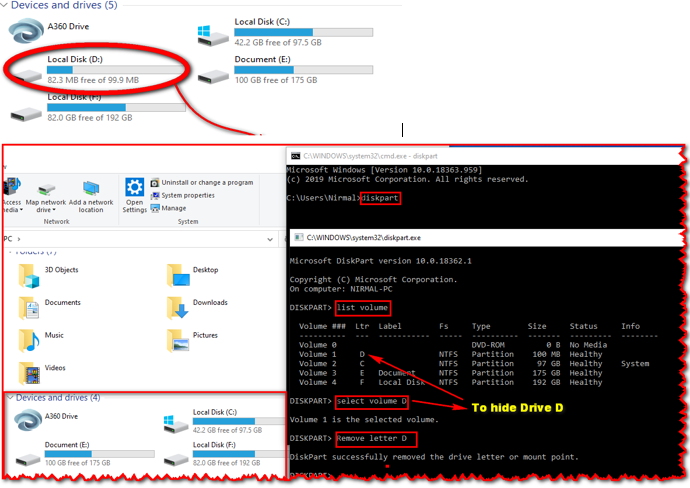
Un hide Drives using CMD
You already know how to hide drives using CMD, Now you should know to Unhide your Hidden drives for your security and work.Follow the below Steps:
Format Unformatable Pen-drive Using CMD
Note:This guide formats your flash drive as FAT32,to format NTFS simply substitute the term in the Command box. FAT32 is the recommended formatting style by this method but many pepole do perfer NTFS.
Note: If you know the letter associated with your disk locations or can use a utility such as disk part to list this information then Skip Step-3 and Step-4.
Step-3: Go to my Computer and look down the navigation panel on the left-hand side, this lists down the popular and root menu folders and locations on your Computer.
Step-4: Your Pendrive should be listed in one of these locations, it may be referred to by brand, as portable storage, or something similar. Next to this label will be a letter.
For example “F: removable storage device” if the device does not show, You need to find the letter with another USB device. This letter needs to be written down or remembered in order to complete this method.
Step-5: Go to the Windows Start menu, Click Start , then click Run. (or Press Win key +R from your Keyboard)
Step-6: Type CMD, and Click OK, this is to start the command Prompt window from which you will be able to choose your format style and name your Drive.
Step-7: Then the Command prompt window is opened and you need to type” Format F: ”
Step-8: The I in this instance refers to our example pen drive location. You can find yourself as per your Drive letter.
Step-9: Here, You will be asked to press enter again and then to give a name for your drive. Follow these Prompts then click on enter again.
You have completed the process of formatting the pen drive using cmd; go back into your computer to check that the formatting has been completed successfully.
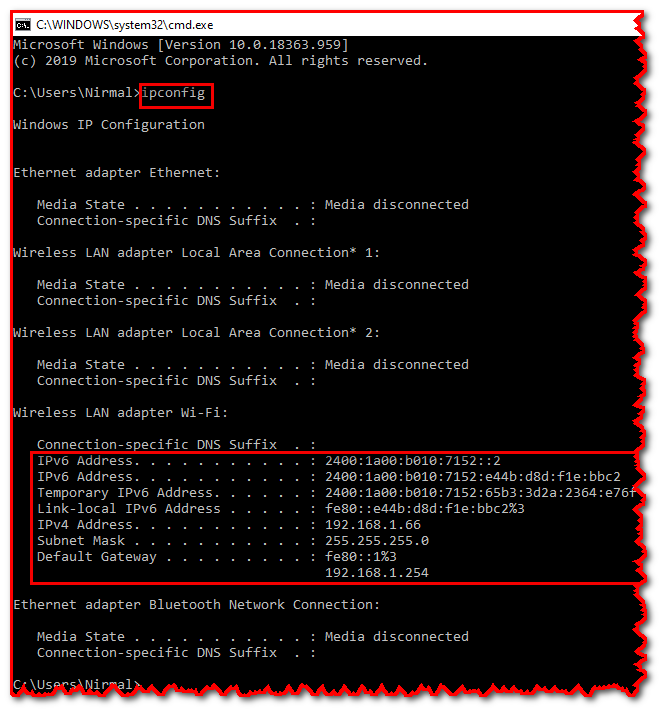
Know Your IP address Using CMD